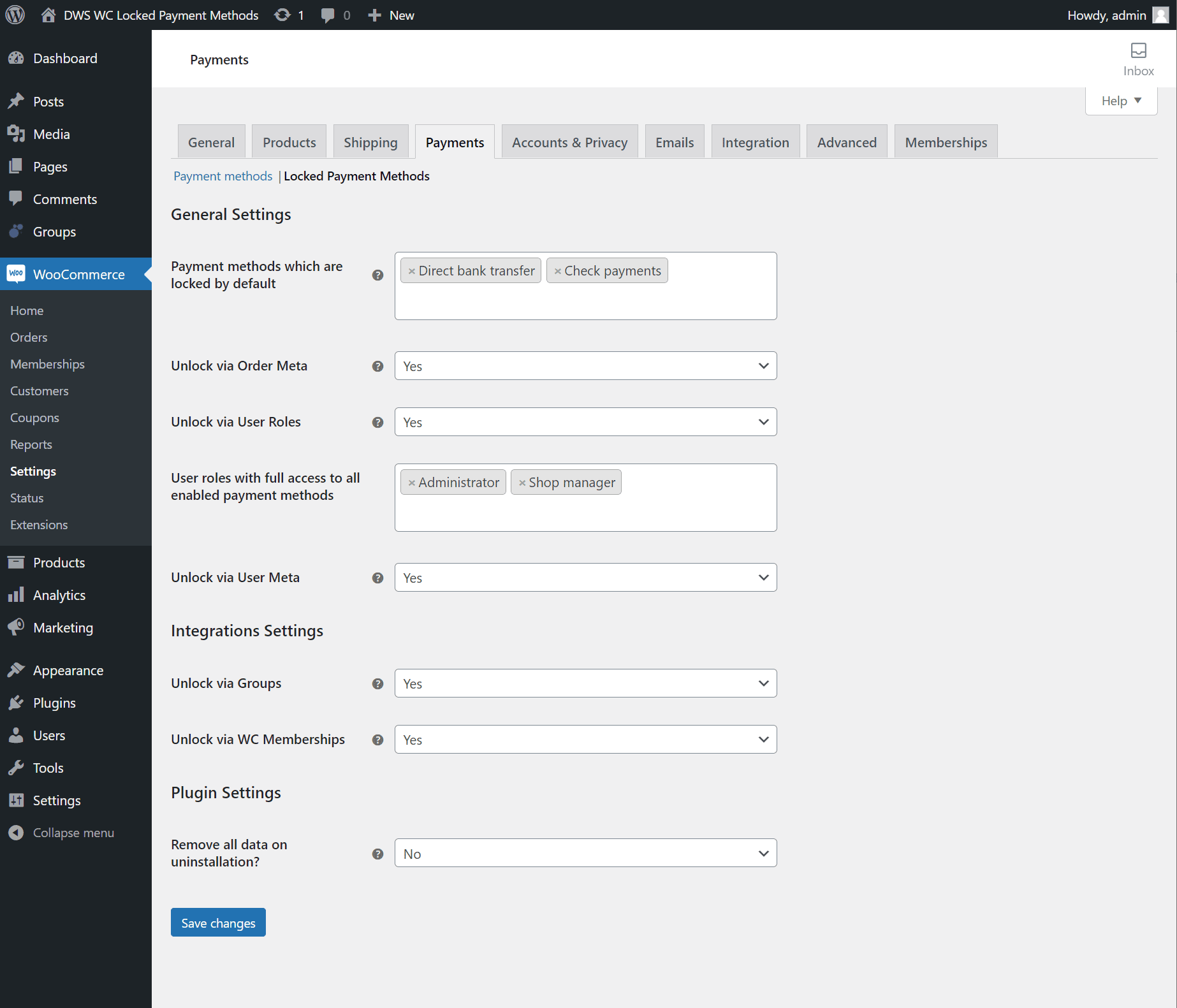
In order to grant access to locked payment methods to individual users please first make sure that the Unlock via Groups settings is set to Yes on the plugin’s settings page:
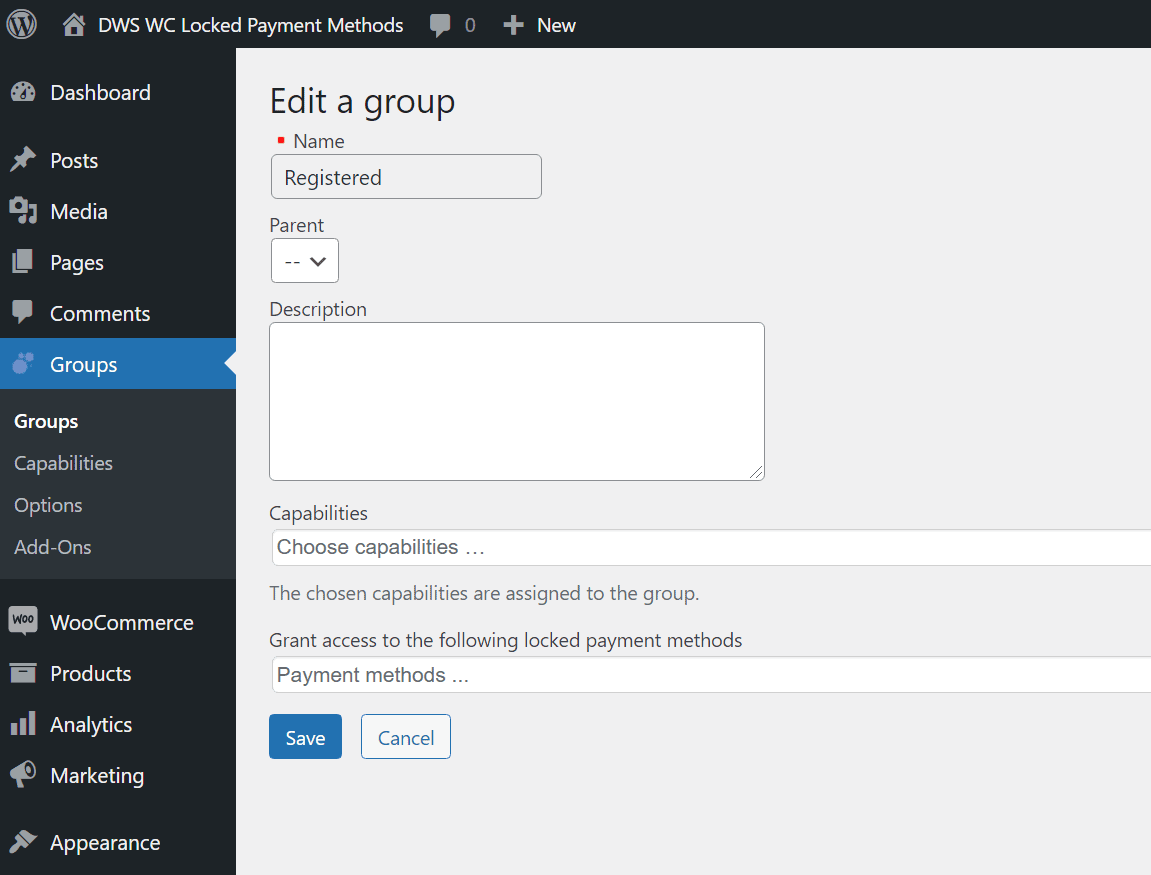
With the unlocking strategy active you can now find a new multiselect field within the individual settings of each Groups-belonging group. Payment methods selected in this field will be automatically unlocked for all users belonging to that group.
- Click on the Groups menu page
- Click Edit on the specific group you want to grant payment methods access to
- Select which payment methods should be unlocked for members of this group
- Click on Save